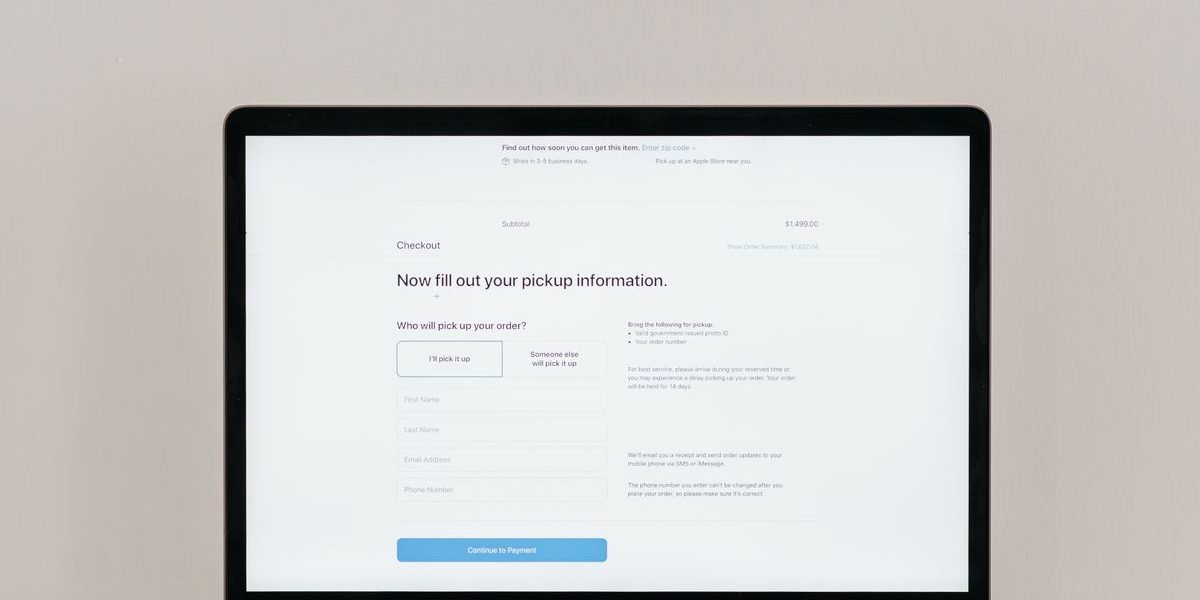
There is a particular kind of frustration only an online store owner knows: the ads are working, the product pages are getting traffic, the carts are filling up — and then nothing. No order. No payment. Just a growing pile of abandoned checkouts and a dashboard that insists everything is fine until the very last step. Ecommerce checkout abandonment is that last-step leak, and it is usually fixable — once you stop guessing and start diagnosing exactly where shoppers drop off.
The scale of the leak surprises most owners. Industry research aggregated by the Baymard Institute puts average cart abandonment at around 70% — roughly seven in ten carts never become orders. That headline number, on its own, is not a diagnosis: it blends window-shoppers who never intended to buy with serious buyers blocked by a fixable problem. Your job is to separate the two, find the blockers in your own checkout, and fix them in the order that recovers the most revenue first.

The direct answer: how to diagnose ecommerce checkout abandonment
Ecommerce checkout abandonment is diagnosed by measuring drop-off at each checkout step, then testing the five common blockers in order: surprise costs, forced account creation, missing payment options, slow or broken mobile checkout, and weak trust signals. Fix the step with the biggest drop-off first.
Step 1: Measure the funnel before changing anything
Do not redesign the checkout on a hunch. In Shopify, WooCommerce or GA4, pull the last 30 days and write down four numbers: sessions that reached a product page, add-to-carts, checkouts started, and orders completed. Then calculate the two rates that matter. Your checkout conversion rate is orders divided by checkouts started — this isolates the checkout itself from traffic quality. Your cart-to-checkout rate is checkouts started divided by add-to-carts — this isolates the cart and product page from the checkout form.
The split tells you where to look. If add-to-cart is high but checkouts started are low, the problem sits before checkout: unclear delivery costs, no guest path, or a cart that hides the total. If checkouts started are high but orders are low, the problem sits inside checkout: the form, the payment options, or trust. A store in London, a store in Berlin and a store in Toronto can have identical abandonment rates for completely different reasons — only the funnel split shows which one is yours.
| Funnel pattern | What it usually means | Fix first |
|---|---|---|
| Many carts, few checkouts started | Shoppers balk at the cart: hidden costs, no delivery estimate, forced account wall | Show full costs and delivery dates in the cart; offer guest checkout |
| Many checkouts started, few orders | Checkout itself blocks: long form, missing payment method, errors, trust doubts | Shorten the form, add local payment options, fix mobile errors |
| Mobile abandons far more than desktop | Mobile checkout friction: tiny fields, slow load, payment keyboards failing | Test the full mobile checkout yourself, on a real phone, this week |
| One country abandons far more than others | Local mismatch: missing payment method, currency, delivery option or language | Add that market’s preferred payment and delivery options |
Step 2: Hunt the five checkout friction blockers
Checkout friction is any extra effort, surprise or doubt between “I want this” and “I have paid”. Run through the five blockers below in order, testing each one as a shopper would.
Blocker 1: Surprise costs at the last step
Extra costs are the most-cited reason for abandonment in Baymard’s research — roughly four in ten abandoners mention costs that were too high or only revealed late. The fix happens before checkout, not in it: show shipping costs and estimated delivery on the product page or in the cart, show taxes where the market expects them, and never let the total jump at the final step. A £39 dress that becomes £52 at payment feels like a different product; a €49 order with €6.95 shipping shown upfront feels honest, even if the total is the same.
Blocker 2: Forced account creation
Requiring an account before payment is still one of the fastest ways to lose a first-time buyer. Offer guest checkout prominently, and invite account creation after the order is placed — when the shopper is already happy, not when they are deciding whether to trust you. Returning customers can still sign in, but signing in must never be the only road to payment.
Blocker 3: Missing payment options for that market
Payment preference is local, and this is where a USA-only checkout quietly loses European and UK sales. A UK shopper may expect Klarna or PayPal alongside cards; a German shopper may look for Klarna, PayPal or SEPA options; a Dutch shopper will often expect iDEAL; a shopper in France may prefer Cartes Bancaires. If the preferred option is missing, the shopper does not complain — they leave. Check abandonment by country, and add the top one or two payment methods for each market that actually buys from you. Shopify’s cart abandonment guide makes the same point: market-specific payment options are a conversion fix, not a nice-to-have.
Blocker 4: A mobile checkout that fights the shopper
Most traffic is mobile, and mobile abandons more than desktop in almost every store. Test the full journey on a real phone, on a real mobile connection: add to cart, enter an address, choose delivery, pay. Watch for fields that reset, keyboards that cover the pay button, address forms that reject valid postcodes, and pages that take seconds to load. If you cannot complete your own checkout comfortably one-handed, your shoppers cannot either.
Blocker 5: Trust signals that arrive too late
First-time shoppers look for reassurance at the moment of payment: clear returns policy, delivery promise, secure-payment marks, reviews, and a real contact route. If those signals live only on a distant policy page, they do not help. Put a short returns line, a delivery estimate and a contact link inside the checkout flow itself, where doubt actually strikes. A shopper who can see “30-day returns, no questions asked” next to the pay button is a shopper more likely to press it.
Step 3: Fix in revenue order, then measure again
Fix one blocker at a time and watch the funnel for two weeks before judging it. The usual priority order is: surprise costs first (biggest, cheapest fix), guest checkout second, payment options third, mobile errors fourth, trust signals fifth. Record the before-and-after checkout conversion rate for each change, split by device and by country, so you know which fix actually earned its keep. Stores that change five things at once learn nothing; stores that change one thing at a time build a checkout that keeps improving.
Two warnings. First, discount-code boxes train shoppers to leave and hunt for a code — if you use one, keep it subtle and never make a shopper feel punished for not having a code. Second, abandoned-cart emails and messages recover only the shoppers whose details you captured. A shopper who left before entering an email cannot be emailed back, which is why fixing the cart and checkout itself matters more than any recovery sequence. Recovery is the safety net; the diagnostic is the fix.
Ecommerce checkout abandonment: a weekly checklist
- Record the funnel weekly: product views, add-to-carts, checkouts started, orders — split by device and country.
- Complete your own checkout on a real phone once a month, in each top market’s payment method.
- Check that shipping, taxes and delivery dates are visible before the final payment step.
- Confirm guest checkout works and account creation is offered only after purchase.
- Review the top exit step in analytics and fix that step before redesigning anything else.
Frequently asked questions
What is a good checkout conversion rate? It varies by industry, price and traffic source, so compare your store with itself over time rather than chasing a universal benchmark. A checkout conversion rate that rises steadily, split by device and country, is a healthier sign than any single published average. Published Shopify cart abandonment statistics show how widely rates vary by how each study counts a cart — which is exactly why your own funnel split matters more than a headline number.
Is cart abandonment the same as checkout abandonment? No. Cart abandonment counts everyone who added a product and left, including browsers who never started checkout. Checkout abandonment counts only shoppers who started checkout and left before paying. The second number is the one that diagnoses your checkout; the first diagnoses your whole journey.
Should I offer discounts to recover abandoned checkouts? Sparingly. A discount can recover a genuinely price-sensitive shopper, but blanket discount recovery trains shoppers to abandon deliberately. Fix the blocker first — cost surprise, account wall, payment gap — and use discounts only for high-value carts where the margin allows it.
Why does one country abandon more than others? Usually a local mismatch: a missing payment method, delivery option, currency display or language gap in that market. Check the funnel by country, add that market’s preferred payment and delivery options, and watch that country’s rate specifically.
Can better ads fix checkout abandonment? No — ads bring more shoppers into the same leaking checkout. Fix the leak first, and every future ad pound, dollar and euro works harder, because more of the traffic you already pay for actually converts.
Your checkout is not a form. It is the last salesperson your shopper meets, and right now it may be talking them out of buying. Diagnose the landing page that feeds your checkout, check whether your ads or your funnel are at fault, and explore AgencyAxiom’s conversion services. To run this diagnostic on your own store, book a free consultation.